The opportunity is significant. Many Etsy buyers actively search for digital downloads and artistic prints. This makes the platform an attractive option for photographers or creative hobbyists.
Selling photos on Etsy can become a scalable, even passive, income stream. We'll walk you through how to sell photos on Etsy step by step. You will learn how to choose the right images, set up your store, and grow your photography business in 2026.
How to Sell Photos on Etsy: A Step-by-step Guide for 2026
If you want to learn how to sell photos on Etsy, the steps below will help you go from research to launching your first listings and growing a profitable store.
Step 1 - Research The Market
Before uploading any photos, the first step is to understand the market. This helps you identify profitable opportunities and avoid highly saturated niches.
Here are a few key things to focus on:
✅Find a market gap
Look for photography styles or subjects with lower competition but strong potential demand. Choosing a niche—such as nature photography, minimalist wall art, or travel photos—can help your shop stand out.
✅Identify your target audience
Think about who would buy your photos. Your customers could be interior decorators, home decor lovers, bloggers, or digital art collectors. Understanding their preferences will help you design better products and marketing strategies.
✅Analyze your competitors
Search on Etsy for shops selling similar photography. Check their pricing, product presentation, descriptions, and customer reviews. This will give you insight into what works and how you can differentiate your store.
✅Track trends and demand
Monitor trending photography styles and popular categories. Tools like Google Trends or Etsy search suggestions can help you discover what buyers are currently looking for.
Valuable read: Tedoo vs Etsy: Which Is Better for Crafters? (A Full Comparison)
Step 2 - Choose What to Sell
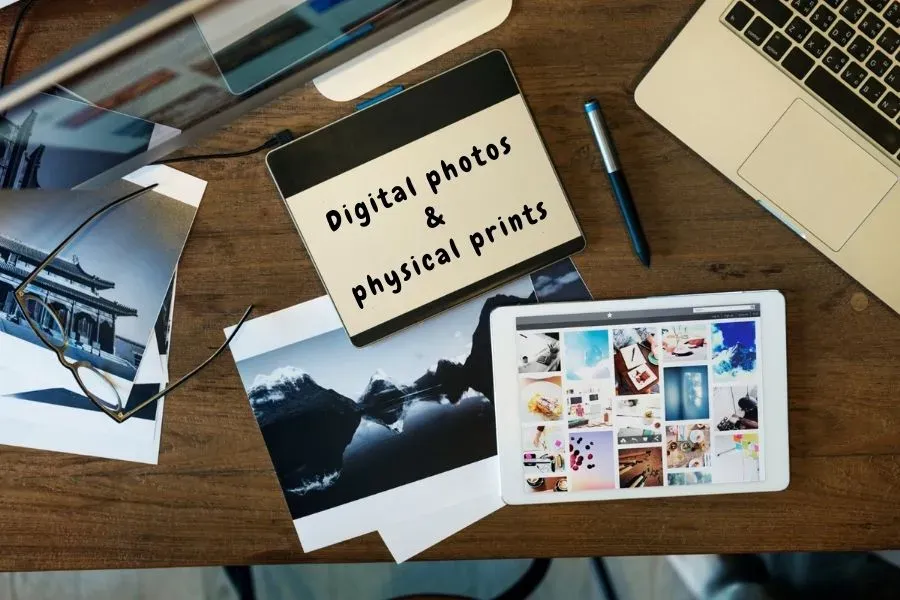
Before listing your photos, decide whether you want to sell digital photos, physical prints, or both in your Etsy shop.
✅Digital photos
Digital photos are usually sold as instant downloads. Customers can purchase the file and download it immediately.
Pros:
- Instant delivery
- Unlimited sales from the same file
- No printing or shipping costs
Cons:
- High competition
- Lower pricing compared to physical products
- Risk of copying or piracy
✅Physical photos
These include printed photographs, posters, canvas prints, or framed wall art.
Pros:
- Higher perceived value
- Better for gifts and home decor
- Harder for others to copy
Cons:
- Requires printing and shipping
- Higher production costs
- Potential shipping issues
Many sellers start with digital downloads for simplicity, then expand to physical prints later.
Step 3 - Choose Your Favorite Photos
The next step in how to sell photos on Etsy is selecting the photos that will appear in your shop. Think of your store like a small online gallery. Each photo should represent your style and quality.
✅Prioritize high-quality photos
Choose images that are sharp, well-lit, and high resolution. Photos should be properly composed and free of noise or blur. High-quality visuals help attract buyers immediately and make your shop look more professional.
✅Keep a consistent style
Instead of uploading random photos, try to organize your images around a specific theme. For example, you could focus on peaceful nature photography, vibrant city scenes, or minimalist black-and-white photos. A consistent style helps define your brand and makes your shop more recognizable.
✅Start small and expand gradually
You don’t need to upload dozens of photos at the beginning. Start with a small collection of your best images, then analyze customer feedback and sales data. Over time, you can expand your collection based on what your audience likes the most.
Step 4 - Select a Print-on-Demand Provider
If you want to sell physical photo prints, using a print-on-demand (POD) service is one of the easiest ways to start. POD companies handle the printing, packaging, and shipping. You don’t need to manage inventory or fulfill orders yourself.
Benefits of the Print-on-Demand model business:
- No need to store inventory
- Automatic order fulfillment
- Access to many products like posters, canvases, and framed prints
- Easy to scale your business
When choosing a POD provider, consider factors such as print quality, product variety, Etsy integration, pricing, and shipping speed.
💡Expert Tip:
DodgePrint allows sellers to connect directly with Etsy as well as other channels. You simply upload your listings to DodgePrint, and then bulk publish them everywhere. After that, you can route all your orders to your favorite print providers. They will handle printing and shipping for you.
Step 5 - Set Up Your Etsy Store
Before you can start selling photos, you need to create your shop on Etsy. The setup process is simple and only takes a few steps.
First, create an Etsy account and follow the instructions to open your shop. Next, set your shop preferences such as language, country, and currency.
Then choose a shop name that reflects your brand and is easy for customers to remember. After that, create your first listing by adding a title, description, category, and product details.
Finally, set up payment and billing options so you can receive payments securely from customers. ➥ Once everything is ready, your shop is ready to start selling.
Step 6 - Upload Your Listings

To successfully sell photos on Etsy, your listings need to be clear, attractive, and optimized for search.
✅Research keywords
Find keywords that buyers use when searching for photography products. Tools like Semrush, eRank, or Alura can help you discover relevant search terms.
✅Optimize titles & tags
Include important keywords in your product title, description, and tags. Etsy allows up to 13 tags per listing. This helps the platform understand and categorize your products.
✅Write clear descriptions
Explain what buyers will receive. Include details such as file format, sizes, dimensions, and usage terms.
✅Use high-quality images
Upload multiple images that clearly show your photo or print. Use good lighting and display your work from different angles. You also can create product mockups to help buyers visualize the final product.
📩 Pro Tip:
New sellers must know: Etsy Algorithm Explained for Sellers: Secrets & Tips (2026 Update)
Step 7 - Price Your Products
Your price should reflect the value of your work while remaining competitive in the market. When setting prices, consider factors such as printing and packaging costs, the time you spend preparing your photos, and the pricing strategies used by other photography sellers.
It’s also important to include Etsy fees, such as listing, transaction, and payment processing fees. By calculating all these expenses, you can set a price that covers your costs and still provides a healthy profit margin.
Check out this article: How to Save on Etsy Fees: The Secret Program Etsy Doesn’t Highlight 🔆
Step 8 - Promote Your Etsy Store
Uploading your images to Etsy isn't enough. You also need to promote your shop so buyers can discover your work.
🌿One effective way is to use social media platforms like Instagram, Facebook, or Pinterest to showcase your photography. Sharing behind-the-scenes content, editing processes, or new photo collections can help attract potential customers and build a connection with your audience.
🌿You can also increase visibility by using Etsy Ads. In addition, strategies such as offering free shipping or running limited promotions can help boost traffic and improve your chances of making sales.
Check out this article on Etsy marketing for valuable tips and tricks from experts. 🎉
Step 9 - Grow Your Etsy Business with DodgePrint
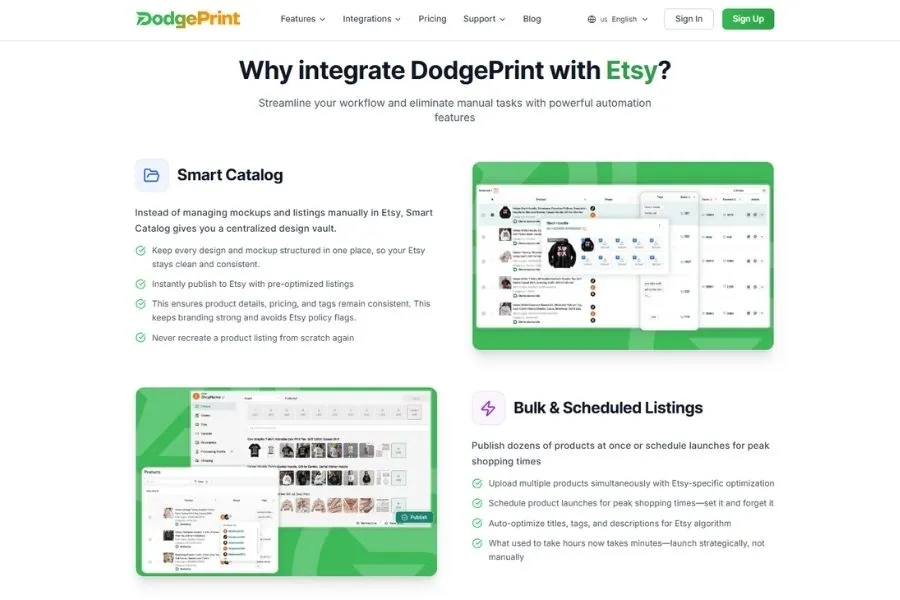
As your shop grows, managing listings, designs, and orders can quickly become time-consuming. To simplify your workflow, pro sellers use DodgePrint.
With DodgePrint, you can manage multiple Etsy stores, create listings faster, and generate AI-optimized titles, tags, and descriptions. It also helps you organize designs, create product mockups, and track store performance in one place.
Using DodgePrint can save hours of manual work and help you focus on what matters most.
👉 Want to grow your shop faster? Connect your stores with DodgePrint and start managing everything from one dashboard.
Pro Tips to Level Up Your Photo Selling on Etsy
To grow faster on Etsy, focus on a few simple strategies.
1️⃣Build a professional shop profile. Add a clear logo, banner, and an engaging About section so buyers understand your brand and story.
2️⃣Expand your product options. Offer different sizes or formats such as prints, greeting cards, or home decor items to attract more customers.
3️⃣Encourage reviews and customer engagement. Sending a short thank-you message after each purchase can help increase positive feedback and repeat buyers.
4️⃣Offer bundle discounts. Promotions like “buy 2 get 10% off” can increase order value.
5️⃣Analyze your competitors and your own listings regularly. Check pricing, presentation, and product quality to keep improving your shop and stay competitive.
Conclusion
So, you’ve learned about how to sell photos on Etsy. It can be a great way to turn your creativity into a profitable online business. As your store expands, using smart tools like DodgePrint can help you save time and scale faster.
With the right strategy and persistence, your photography can become a valuable digital product that generates income for years to come.