You’ve set up your Etsy shop and listed your best products. Now, it's time to get people's attention. With over 8 million sellers competing for the attention of 95 million active buyers, visibility can make or break your success on Etsy.
That’s where advertising comes in. Using Etsy Ads wisely can boost your traffic, increase sales, and strengthen your brand presence.
In this guide, we’ll break down how to advertise on Etsy and provide practical strategies to help you advertise smarter.
Types of Advertising on Etsy
Etsy offers 2 main ways to promote your products - Onsite Ads & Offsite Ads. Understanding how Etsy Ads work can help you choose the best option.
Etsy Onsite Ads
Etsy Onsite Ads let you promote your listings directly within the Etsy marketplace. These ads appear in search results, category pages, and related listings. This gives your products more visibility among active Etsy shoppers.
This is a CPC (cost-per-click) system.
It means that you only pay when someone clicks your ad. Your ad’s placement depends on your bid, keyword relevance, and listing quality score.
You can set a daily budget cap (up to $25) and let Etsy automatically manage which listings to show. Ads only appear in countries where you ship, so your budget is always used efficiently.
It’s a flexible and beginner-friendly way to start advertising without overspending.
Etsy Offsite Ads
Etsy also helps sellers reach buyers outside the platform through Offsite Ads. Etsy promotes your best listings on major sites like Google, Facebook, Instagram, and Pinterest.
All sellers are automatically enrolled.
Etsy chooses which listings to advertise based on performance and keyword strength. The program works on a commission model instead of a fixed ad cost:
- 15% fee per sale for shops with ** less than $10,000** in annual sales (capped at $100 per order)
- 12% fee per sale for shops earning >more than 10,000 (also capped at $100 per order)
✨Important:
You can opt out if you earn below $10,000 a year, but keeping Offsite Ads active is usually worth it ⇨ It helps your products get promoted on the web without any upfront costs.
How to Advertise on Etsy: Step-by-step Guide
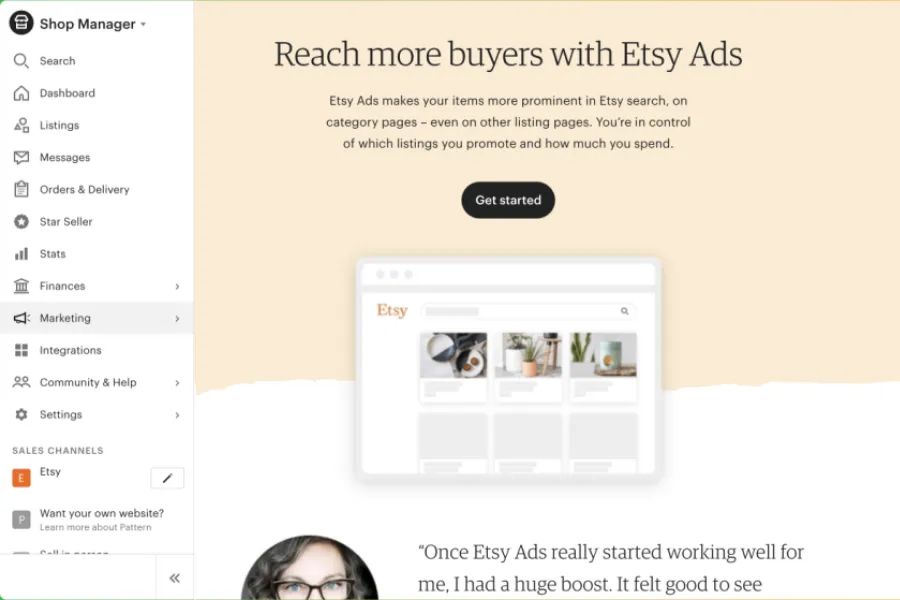
It’s simple to set up and gives you full control over your budget. Here’s a quick step-by-step guide on “How to advertise on Etsy” to get started effectively.
Set up Etsy Ads
✅ Step 1: Access Etsy Ads
Log in to your Etsy account ➡ Shop Manager ➡ Marketing ➡ Etsy Ads.
This is where you’ll set everything up - from choosing listings to tracking ad performance.
✅ Step 2: Configure Your Campaign
Now, it’s time to customize your campaign:
- Set your daily budget: Etsy suggests a number based on your shop’s history. However, you can start small and adjust later.
- Pick what to promote: You can manually choose specific listings or let Etsy automatically promote your top-performing products.
- Set a duration: Run your campaign continuously or choose a specific time frame.
✅ Step 3: Launch Your Ads
When everything looks good, hit Start Advertising - and that’s it!
Track & Analyze Your Etsy Ads Performance
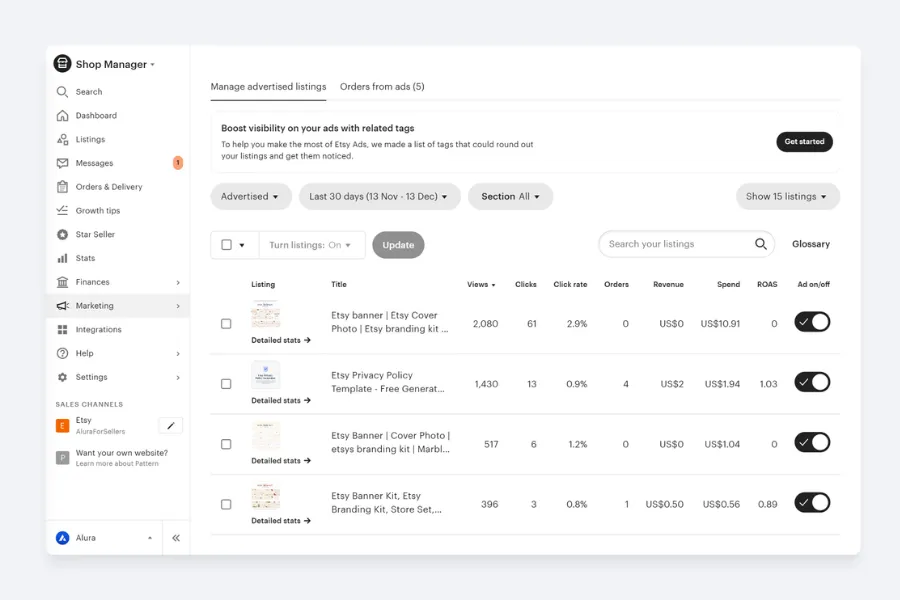
Tracking your results helps you understand what’s working, what’s not, and where to make adjustments to boost sales.
🏷️ Key Metrics to Watch
Here are the main numbers that tell you how your ads are doing:
- Impressions: How many times your ad was shown.
- Clicks: How many people clicked on your ad.
- CTR (Clickthrough Rate): The ratio of clicks to impressions - a higher CTR means your ad is catching attention.
- CPC (Cost Per Click): The average amount you pay for each click.
- Conversions & Conversion Rate: How many ad clicks lead to sales, and what percentage they represent.
- ROAS (Return on Ad Spend): Your total revenue from ads divided by your total ad spend - a key measure of profitability.
🏷️ How to Read the Results
- High impressions & Low CTR: Try improving your titles, photos, or product tags to increase clicks.
- High CTR & Low sales: Your ad is working - but your listing may need better descriptions, pricing, or product photos.
- High CPC: You might be bidding in a competitive niche. Consider narrowing your keywords or adjusting your budget.
📢 Important:
Monitor your Etsy ads' performance regularly. Ignoring those analytics can waste the budget and miss opportunities to optimize your ad campaign.
Monitor Etsy Ads with DodgePrint
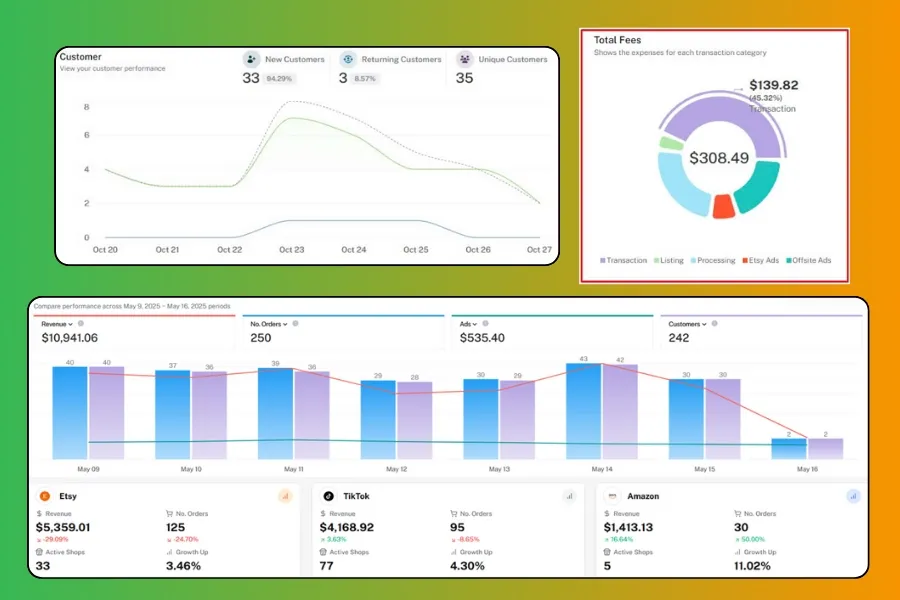
Tracking your Etsy Ads performance becomes much simpler when you connect your store with DodgePrint.
🔖 Monitor Costs & Revenue at a Glance
From your DodgePrint dashboard, you’ll see your total fees, including Etsy fees, ad costs, and others, in real time. The order quantity and revenue are also displayed clearly, so you can track every cent.
Expert Tip:
Follow this post to save more cost: How to Save on Etsy Fees: The Secret Program Etsy Doesn’t Highlight
🔖Show Important Metrics
Even better, DodgePrint automatically analyzes your Ad Revenue Ratio (ARR) - showing how your ad spend compares to your earnings.
You will also see the data of Conversion Rate, Customers, Views, Sales, Growth Up, etc. ➡ All help you to make better decisions on your ad strategies.
🔖Manage All Stores on Etsy & Across Different Platforms
If you’re managing multiple Etsy shops or selling on other platforms, DodgePrint helps you view all ad budgets in one place.
You can instantly compare how each store performs as well as which campaigns bring the best results.
Try DodgePrint for free today & run Etsy ads smartly!
Smart Strategies to Optimize Your Etsy Ads
The key is to spend your money on Etsy ads smartly. Let's see how you can do this:
Set a Realistic Budget
If you’re just getting started, begin with a small daily budget to test what works. As your ads start generating clicks and sales, gradually increase your spending.
During peak seasons like Christmas or Valentine’s Day, you can raise your budget slightly to capture more active shoppers.
⭐ Keep in mind:
Budgeting too high can quickly drain your funds, while budgeting too low may not yield good results.
Choose the Right Listings
Not every product needs to be advertised. Focus your ads on bestsellers, high-margin items, or new products that need a visibility boost.
Prioritize listings with strong photos, reviews, and clear value - they’re more likely to convert. Poorly presented listings can't attract viewers, resulting in low conversion rates.
Use Keyword Wisely
Find keywords your audience is actually searching for. Use Etsy’s search suggestions or Google Keyword Planner to discover high-traffic, low-competition phrases.
Include them naturally in your title, tags, and descriptions for better placement without sounding spammy.
Using generic keywords or irrelevant ones may attract the wrong audience and decrease the effectiveness of the ads.
⏩ Use Long-tail Keywords: This kind of keyword is less competitive and helps to reduce CPC.⏪
🔴 Pro Tip:
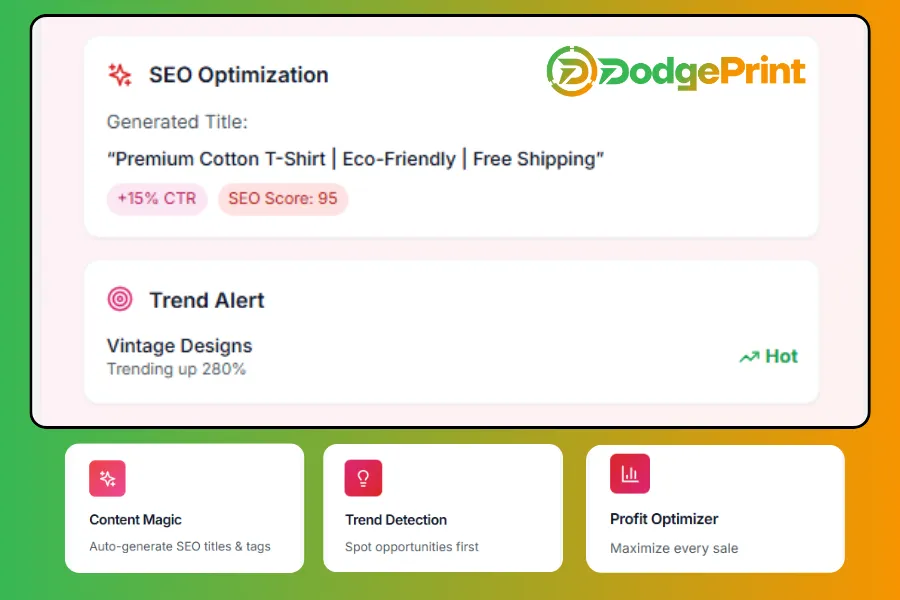
With the automation process, DodgePrint will automatically generate SEO titles and tags. This saves you a lot of time while staying competitive.
Improve Listing Quality
Use crisp, high-quality images and keyword-rich titles that describe your product naturally. Follow Etsy guidelines for setting the best resolution for your images.
Write detailed, engaging descriptions that answer customer questions before they ask. Add all 13 tags with relevant keywords to improve visibility.
🔔 Want more tips?
Check this one: How to Get Noticed on Etsy: 10 SEO Tips From Experts to spread your shop’s reputation faster.
Be Flexible & Adjust Your Ads
There’s no one-size-fits-all strategy in Etsy advertising. Keep testing and adjusting until you find what works.
❓A listing runs ads but doesn’t bring in orders❓
Set a limit. For example, stop ads once the total spend approaches the base cost of that product. Before turning it off completely, try updating the mockup, thumbnail, title, or price to make it more appealing.
If you’ve optimized everything and it still doesn’t convert, pause that ad and redirect your budget to other listings.
Combine Sales & Promotions for Better Results
This often gives the best ROI because it creates both urgency and visibility at the same time.
Shoppers are naturally drawn to deals. Therefore, if they see an ad that also offers a discount, it instantly boosts click-through rates and conversions.
You can run Etsy Ads on listings that are already part of your shop-wide sale or limited-time discount.
This gives your promoted products an extra push in search results, especially during holidays or big shopping events like Black Friday or Mother’s Day. Even a small discount (like 10–15%) can make a difference.
Promote Your Etsy Shop

When more people discover and engage with your Etsy shop, your listings naturally gain more traffic and perform better in ads, too.
📌 Start with social media: Platforms like Instagram, Facebook, Pinterest, and TikTok are perfect for showing your products to potential customers.
Use behind-the-scenes videos, product demos, or lifestyle photos to attract attention and build trust.
📌 Focus on Email Marketing: This is one of the most reliable ways to stay connected with your buyers. You can share new arrivals, limited-time offers, or restocks directly with people.
If you’re new to this, check out our guide, Etsy Email Marketing 101: How to Build & Grow Your List.
📌 Consider Collaborations: Partner with influencers, fellow Etsy sellers, or creators in your niche to expand your reach.
Keep an Eye on Competitors
Regularly check how similar shops are advertising. Look at their pricing, photos, and product descriptions to spot trends and identify what you can do better.
FAQs About How to Advertise on Etsy
How Much Does It Cost to Run Etsy Ads?
You can start with as little as 1$ per day, and Etsy will never exceed your set daily budget. If you are a new seller on Etsy, 3$ to 5$ per day will be a modest daily ad budget for testing.
On average, it will charge around 0.2$ to 0.5$ per click for Etsy's onsite ads.
Which Social Media Platforms Are Best for Offline Etsy Ads?
For Etsy sellers, Instagram and Pinterest are top choices since they highlight visuals. It is perfect for showing off handmade or creative products.
TikTok helps you reach new audiences through short videos, while Facebook is great for building community and running targeted ads.
The best approach is to mix platforms based on where your audience spends most of their time.
How to Opt Out of Etsy Offsite Ads?
Etsy automatically enrolls all sellers and runs off-site ads for you. However, if you don't want to join, here's how to turn off:
Go to Shop Manager → Select Settings → Offsite Ads → click Opt out of Offsite Ads
Bottom Line
So, you've learned how to advertise on Etsy. You can combine on-site and off-site ads to attract more buyers and increase your profits.
Start small, test what works, and keep optimizing your listings and campaigns. Connect your Etsy store with DodgePrint to start selling even better!