Listing and Bulk Listing on DodgePrint help POD sellers publish products to multiple stores at once, reuse templates to reduce manual work, and standardize listing information.
DodgePrint has just released 2 important updates for Shopify sellers: Collection and Size Chart, allowing you to categorize products into collections and apply size charts right when listing.
Let's explore these two new updates and how to optimize your Shopify Listing workflow below.
New Updates on DodgePrint for Shopify Sellers
Watch the feature tutorial video to optimize your listing time:
Size Chart: Create Once, Apply to Multiple Products
For POD products like T-shirts, Hoodies, or Sweatshirts, a size chart is essential information for customers to choose the right fit. However, adding the same size chart to multiple listings can be time-consuming.
Size Chart on DodgePrint allows sellers to create templates as images or manually enter size specifications, then reuse them when listing multiple Shopify products.
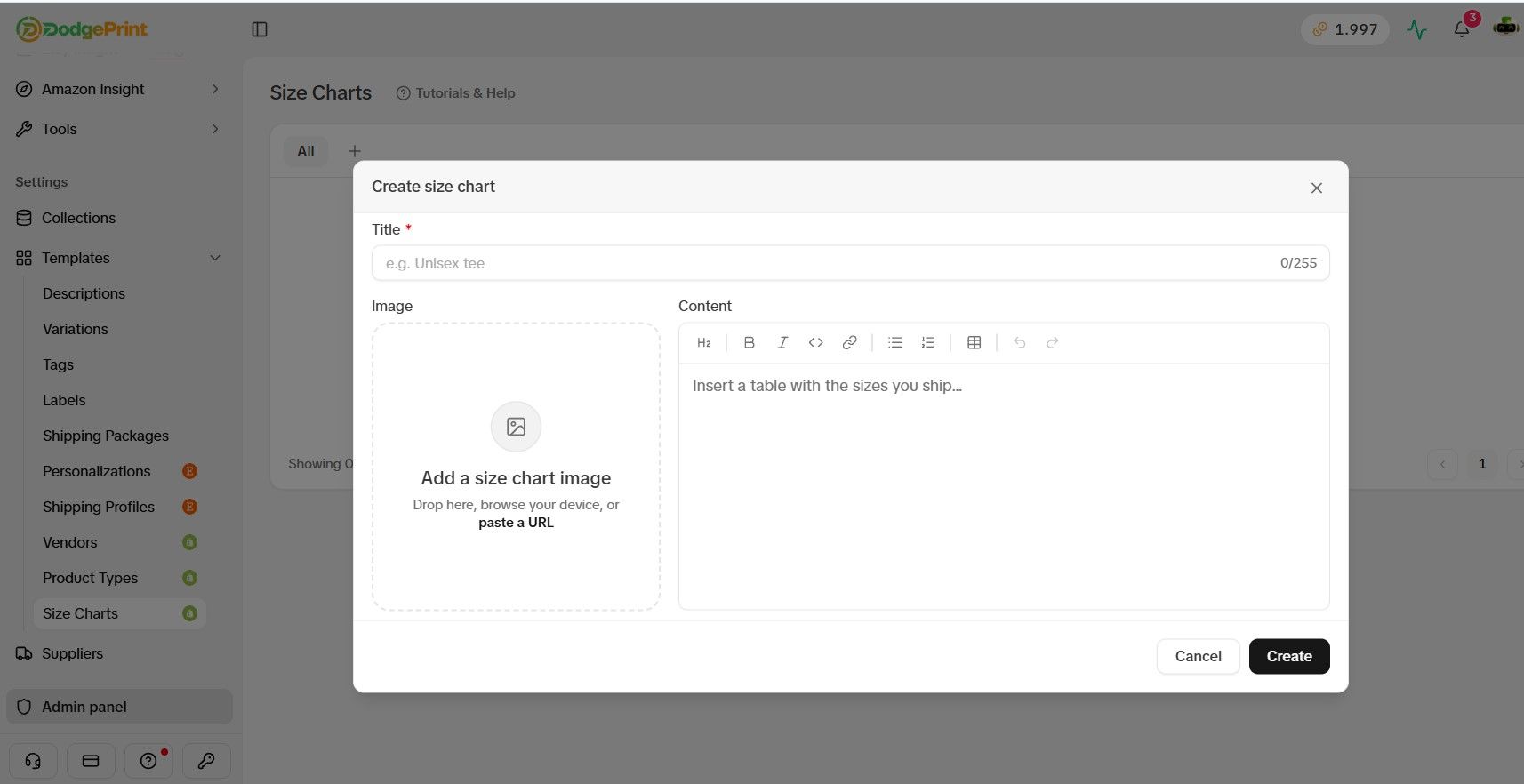
Sellers can prepare separate Size Chart Templates for each product line, which helps:
- Save time: No need to re-add the size chart for each listing.
- Standardize information: Products in the same group use a consistent size chart.
- Optimize Bulk Listing: Apply pre-made size charts when publishing products in bulk.
Collection: Categorize Products Right When Listing on Shopify
Collection allows sellers to assign products to collections during the deploy process, instead of manually categorizing them after publishing.
A product can be assigned to multiple Collections at once. For example, a Christmas t-shirt design can belong to both the Christmas Collection and the T-Shirts Collection.
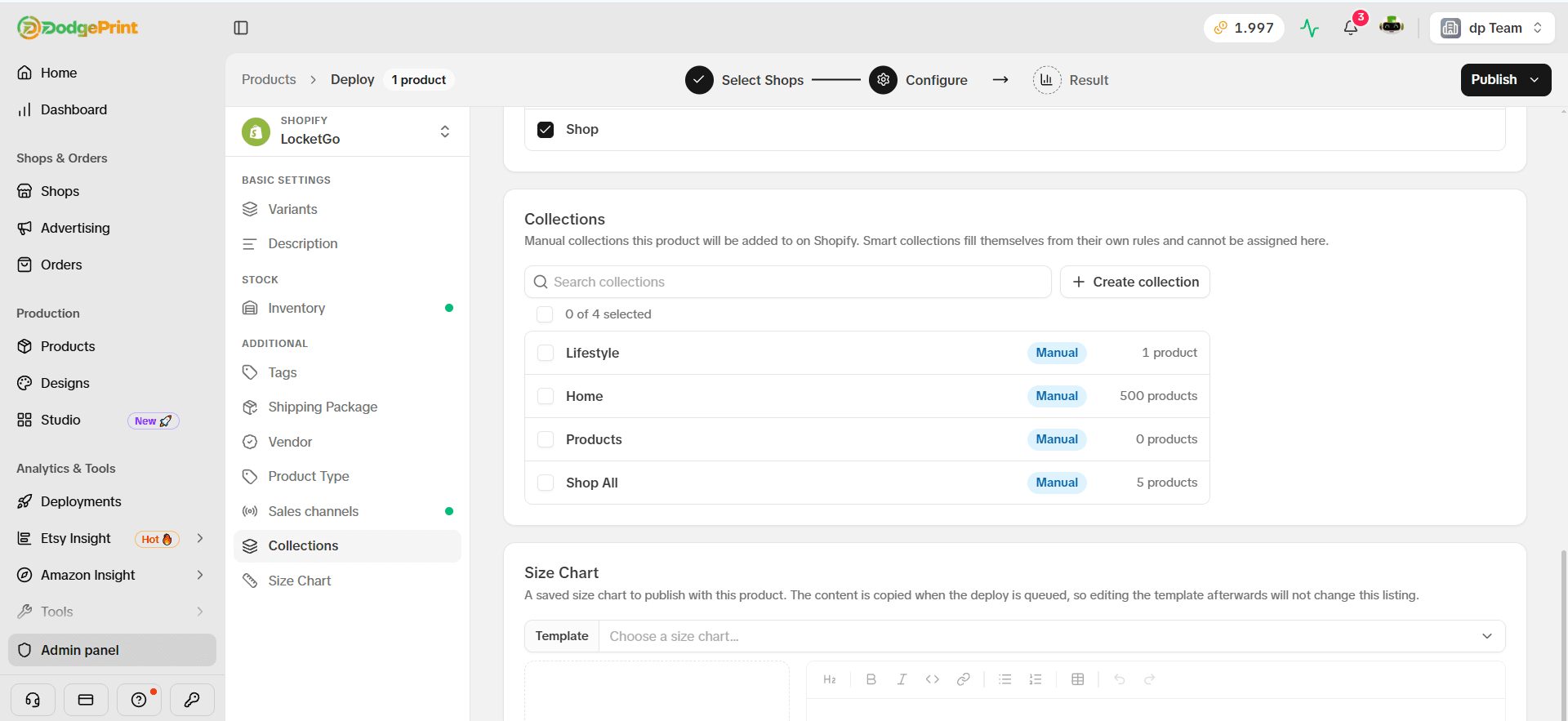
Sellers can also create a new Collection right when deploying if no suitable collection exists.
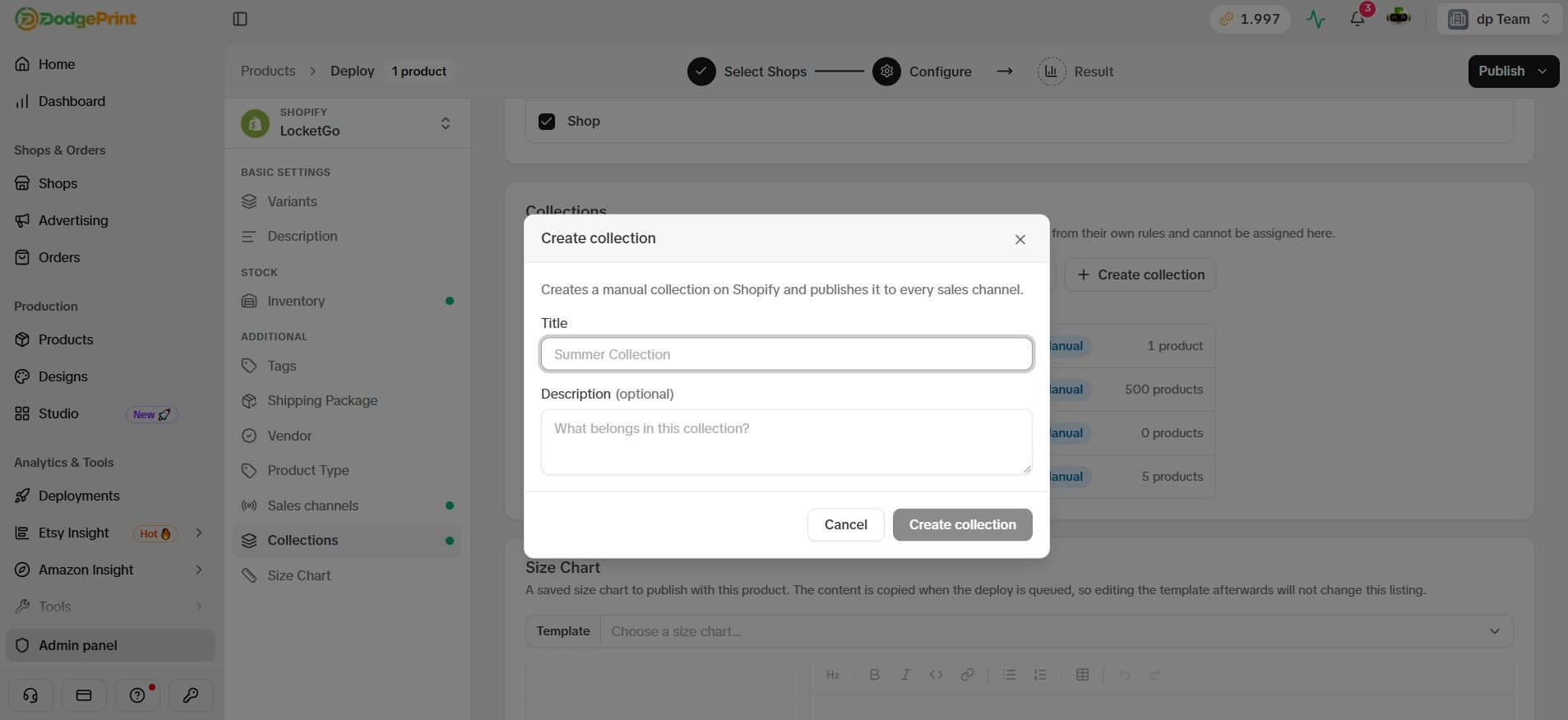
This helps Shopify sellers:
- Organize catalogs efficiently: Categorize products by category, theme, or sales campaign.
- Reduce manual work: Assign products to Collections right when Listing, no need to handle it separately afterward.
- Help customers find products easily: Group similar products into appropriate collections.
Combine with Listing Template and Bulk Listing to Optimize Your Selling Workflow
The Collection and Size Chart updates make the Shopify Listing process more convenient when combined with Listing Template and Bulk Listing on DodgePrint.
With Listing Template, sellers can prepare and reuse product configurations such as Variants, Description, Inventory, Tags, Shipping Package, Vendor, and Product Type, while also setting up sales channels and publish schedules.
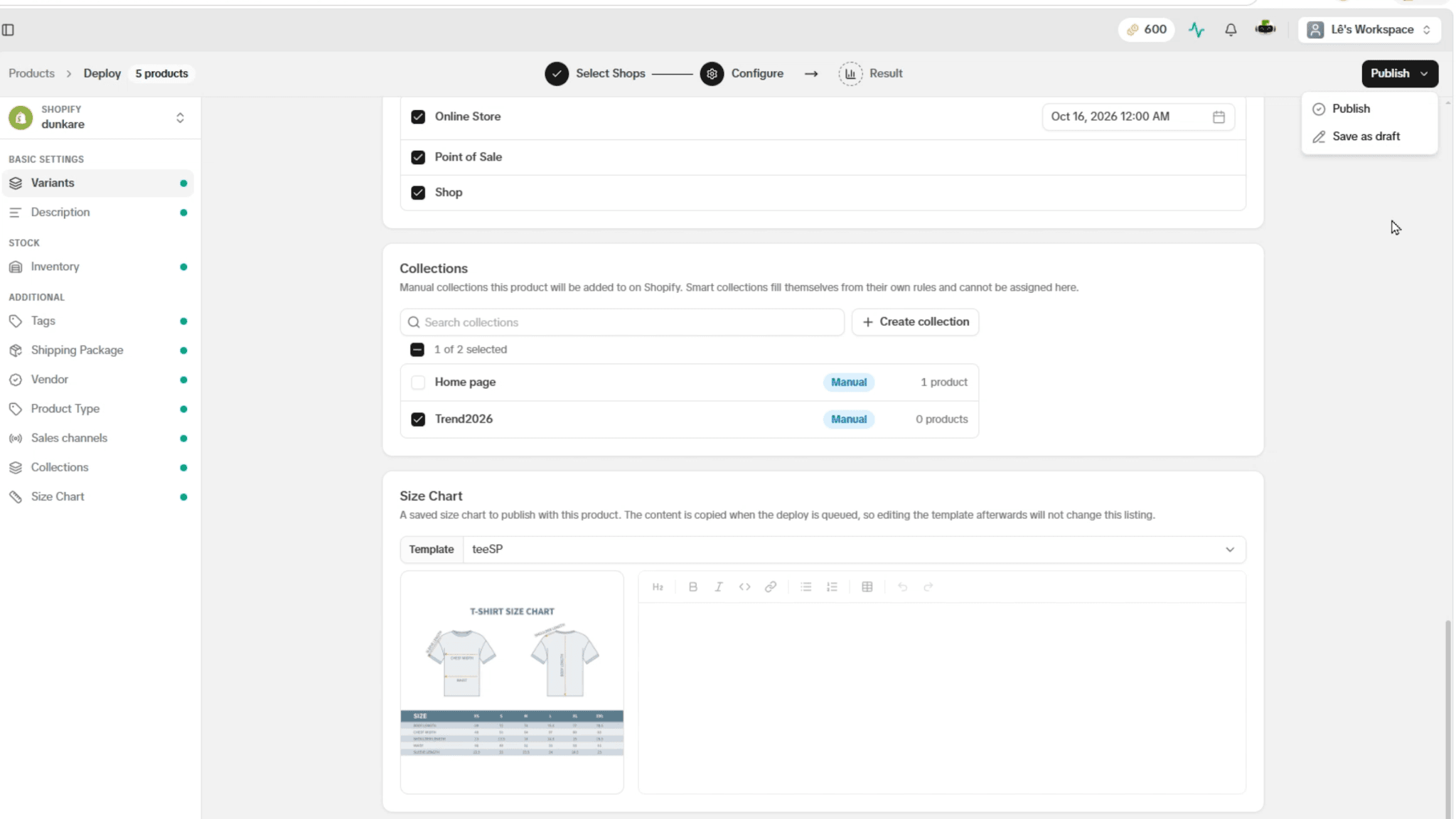
When using Bulk Listing for Shopify, sellers can deploy multiple products to multiple stores in a single workflow: apply templates, assign Collections, select Size Charts, and deploy.
As a result, sellers can:
- List faster: Reduce repetitive data entry and configuration.
- Scale catalogs easily: Deploy new designs to Shopify stores efficiently.
- Manage multiple shops centrally: Publish products in bulk from one system.
- Maintain consistency: Standardize configurations, collections, and size charts right from deployment.
Optimize Shopify Listings with DodgePrint
With the two new updates Collection and Size Chart, combined with Listing Template and Bulk Listing, POD sellers can shorten listing time, manage catalogs more efficiently, and standardize product information in a single workflow.
DodgePrint is an All-in-One platform for multi-channel POD sellers on Etsy, Amazon, Shopify, TikTok Shop, and WooCommerce, connecting activities from Research, Listing, Order Management, Fulfillment to Analytics on one centralized system.
Try DodgePrint now to optimize your Shopify Listings, reduce manual work, and scale your POD business effectively!