Customers can’t touch or try your products before buying — which means your visuals do all the selling. That’s why mockups play a critical role in the success of any POD store.
A strong mockup creates a powerful first impression. This helps shoppers instantly imagine how the product looks in real life, increasing the chances of conversion.
In this guide, you’ll learn how to create mockups for print on demand products step by step. Then, you can make your products look polished, trustworthy, and ready to sell.
What Are Print on Demand Mockups?
A print-on-demand (POD) mockup is a digital preview that shows how your design will appear on a real product, such as a T-shirt, mug, or hoodie. Instead of photographing physical items, mockups allow sellers to present products professionally before production even begins.
Unlike real product photos, mockups are faster, cheaper, and easier to update when testing new designs. They are widely used across Shopify stores, Etsy listings, ads, and social media marketing.
Clear, realistic images make products feel trustworthy and increase the likelihood of clicks and purchases.
Common types of mockups for POD products include:
- Lifestyle mockups: Products shown in real-life situations
- Studio/product mockups: Clean backgrounds focused on the item
- Flat lay mockups: Top-down minimal product presentation
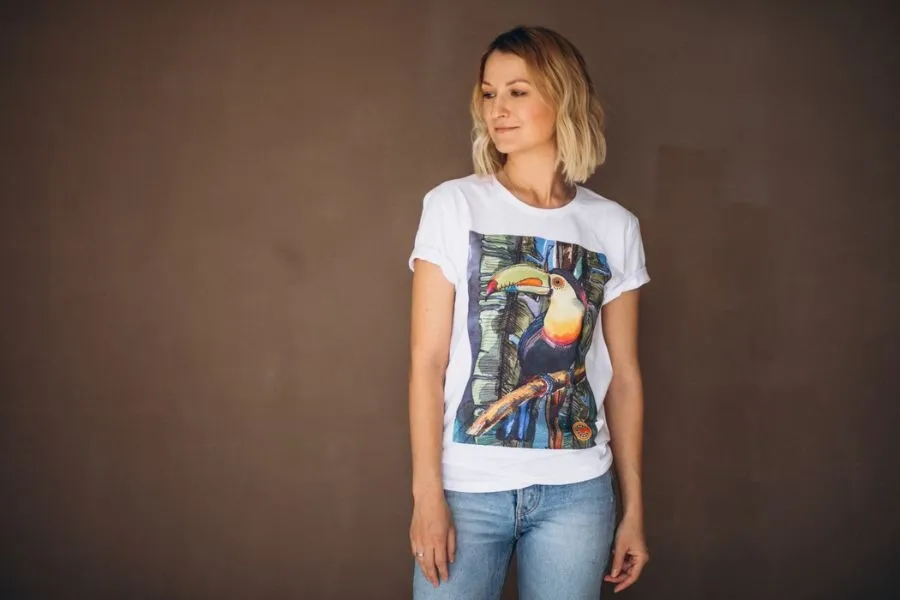
- Model mockups: Products worn or used by people
- Contextual mockups: Scenes like gift setups, desks, or home environments
Choosing the right mockup style helps customers visualize the product and builds stronger buying confidence.
Why Mockups Matter for POD Business?
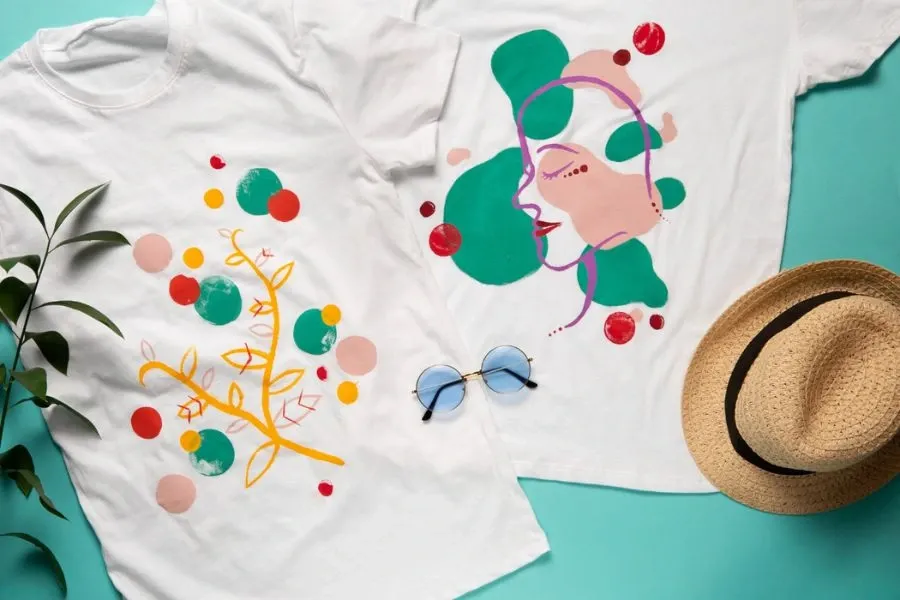
Mockups directly influence how customers perceive your brand and whether they decide to buy.
📌Increase Conversion Rates
Since online shoppers cannot physically see or touch print-on-demand products, high-quality mockups help them visualize ownership. Clear, realistic images make products feel trustworthy and increase the likelihood of clicks and purchases.
📌Build Brand Trust
Professional mockups instantly elevate your store’s appearance. When all product images have high-quality visuals and follow a consistent style, your brand looks more reliable and established.
📌Save Time & Money
Mockups eliminate the need for expensive photoshoots or ordering samples for every design. You can launch products quickly, test new ideas, and update listings anytime without additional production costs.
Valuable read: 7 Pro Tips on Reducing Costs While Scaling POD Print on Demand 🔥
Step-by-Step: How to Create Mockups for Print on Demand Products
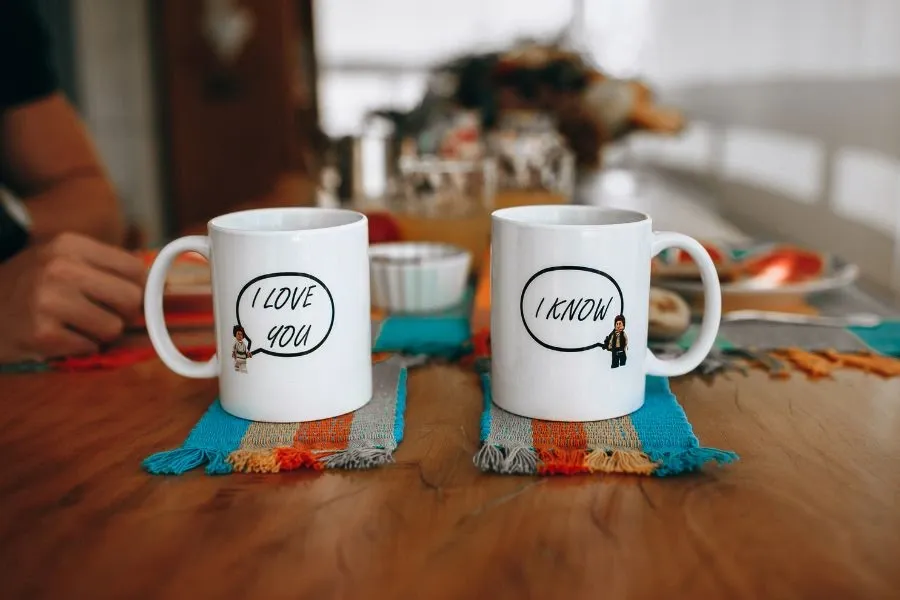
Creating professional mockups doesn’t require advanced design skills. By following a simple workflow, you can turn any design into a product image that looks ready for a real online store.
Here’s a beginner-friendly step-by-step process of how to create mockups for print on demand products.
Step 1 - Choose the Right Product
Start by selecting a product that fits your niche and audience. Popular POD items include T-shirts, hoodies, mugs, tote bags, and posters.
Ask yourself:
- Who is this product for?
- Where would customers realistically use it?
- Does it match your brand style?
Step 2 - Prepare Your Design File
Before uploading your artwork, make sure your design file is optimized for printing. High-quality files prevent blurry prints and help your mockups look professional from the start.
Best practices:
- Use PNG format with a transparent background
- Set the resolution to 300 DPI for sharp printing
- Follow the recommended dimensions from your POD provider
Step 3 - Upload Design to a Mockup Tool
Next, upload your design into a mockup generator such as Canva, Printful, Printify, or other POD tools.
Once uploaded:
- Align the design properly with the product
- Adjust size and placement
- Check positioning on different product variants (colors or sizes)
Step 4 - Customize the Mockup Style
This is where your product comes to life. Choose a mockup style that reflects your brand identity.
You can customize:
- Model or lifestyle scenes
- Product colors and variations
- Lighting, background, or environment
👉 For example, minimalist brands often use clean studio mockups, while gift or lifestyle niches perform better with real-life scenes.
Step 5 - Export High-Quality Images
Finally, export your mockups in the right format for online selling.
Recommended settings:
- High-resolution images (at least 2000px width)
- PNG or JPG format, depending on platform requirements
- Multiple images showing different angles or contexts
👉 Well-exported mockups ensure your listings look sharp and help your products stand out instantly.
Don’t skip this: Top 6 Bulk Listing Tools for Print on Demand to Boost Productivity 🍀
How to Create Mockups Faster with DodgePrint AI Mockup
Creating mockups manually can take a lot of time. DodgePrint AI Mockup simplifies the entire process so even beginners can create professional product images in minutes.
Instead of designing mockups from scratch, DodgePrint uses AI to automatically extract your design, apply it to products, and generate high-quality images up to 4K resolution.
Here’s how the workflow works:
🟧 Step 1 - Start with AI Generator
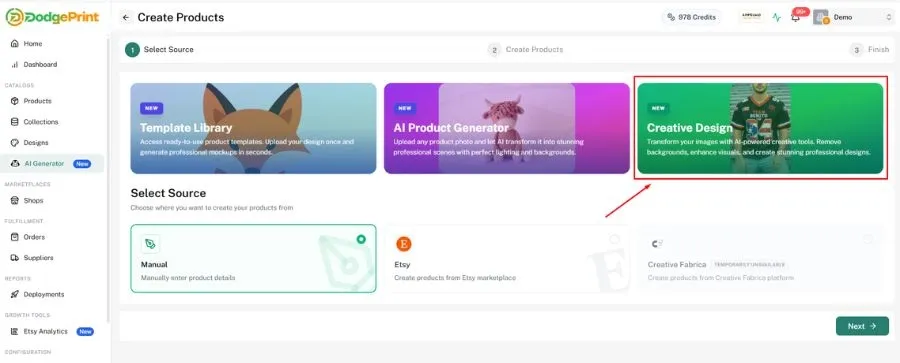
Go to AI Generator → Creative Design, then select From Mockup → Get Started.
This is where you begin turning an existing image or design into a ready-to-use mockup.
🟧 Step 2 - Upload & Extract Your Design
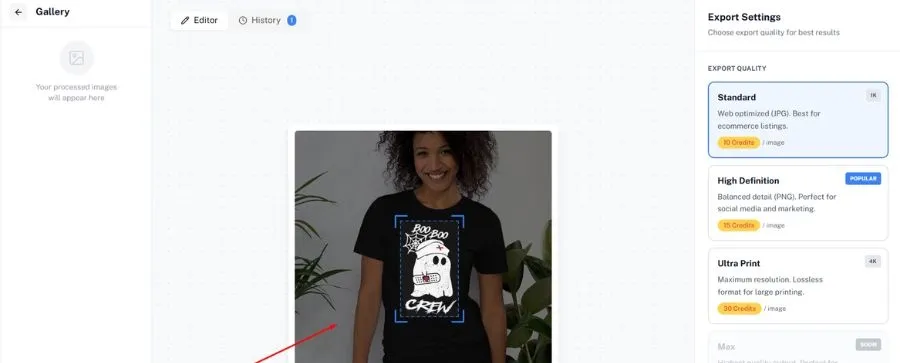
Upload an image that already contains your design.
Use the crop frame to select the exact design area, and the AI will automatically remove the background and isolate your artwork.
Choose your export quality (1K, 2K, or 4K), then Extract Design.
The system will automatically generate a clean design file.
🟧 Step 3 - Create Mockups Instantly
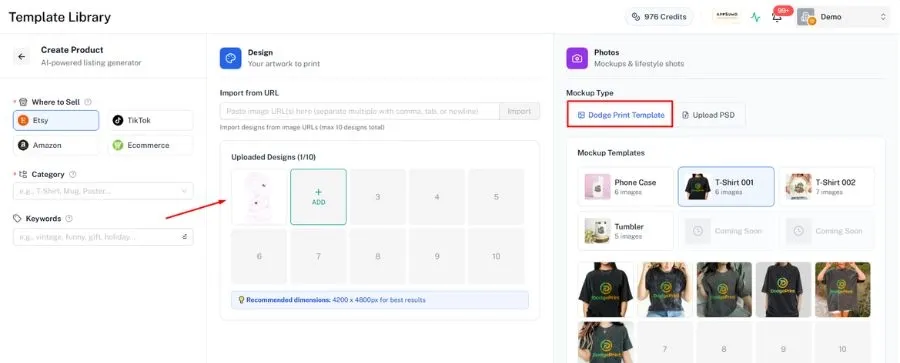
After the design is generated, select Create Product with Image.
You can:
- Use DodgePrint’s ready-made mockup templates, or
- Upload your own PSD mockup for full creative flexibility.
- DodgePrint automatically applies your design to the chosen mockup base.
🟧 Step 4 - Generate & Review
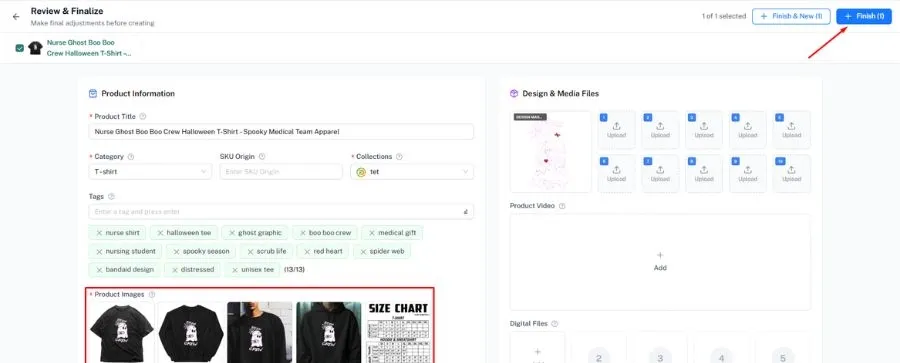
The system generates your product mockup automatically.
Preview the image, adjust product details if needed.
Your finished mockups are saved directly inside the Product Catalog, ready for publishing.
✅ Why DodgePrint AI Mockup is useful
- No Photoshop skills required
- Automatic background removal with AI
- Supports custom PSD mockups
- Export high-quality images up to 4K
- Create multiple mockups in just a few clicks
✅ Manage All Your Mockups & Designs in One Place with DodgePrint
Beyond creating mockups, DodgePrint also helps you organize and manage all your designs and mockup assets through its Smart Catalog system.
Instead of saving files across folders, drives, or different tools, every design, mockup, and product image is stored in one centralized library.
This makes it easy to reuse designs, update listings quickly, and maintain consistent branding. You can scale your POD store without losing track of files, especially when managing multiple products or stores.
✅ One more thing…
DodgePrint is free to use. So, connect your stores with DodgePrint (from Etsy, Amazon, TikTok Shop, Shopify, & more) and see how it works. You can always upgrade to more advanced tools at a very affordable price.
FAQs on How to Create Mockups for Print on Demand Products
1. Do I need Photoshop for POD mockups?
No. Photoshop is helpful but not required. You can use free and beginner-friendly tools like Canva, Placeit, or built-in mockup generators from POD platforms.
2. How many mockups should a product have?
A good rule is 3–5 mockups per product listing. Include a mix of styles, such as:
- A clear product view
- A lifestyle or model image
- A close-up detail shot
Multiple images help customers visualize the product better and increase conversion rates.
3. Can AI create mockups?
Yes. AI tools can now generate mockups automatically by removing backgrounds, placing designs onto products, and exporting high-resolution images. Platforms like DodgePrint AI Mockup allow sellers to create professional mockups in minutes.
Bottom Line
If you want more clicks and sales, improving your mockups is one of the fastest wins in print on demand. Knowing how to create mockups for print on demand products gives you a strong visual advantage from day one.