Etsy buyers shop with their eyes. They scroll the grid, tap a thumbnail that catches them, and decide in a few seconds whether to look at the rest of your listing. Photos do that work — and for sellers without a photo studio, an Etsy mockup generator is the shortcut to listing photos that actually compete.
An Etsy mockup generator places your design onto a styled product template and renders a realistic image you can use on a listing. It handles the parts a phone camera cannot fake: warped print wraps on mugs, fabric folds on shirts, framed wall art in a styled room. This guide walks through what these tools do, how to set them up, the mockup types that win on Etsy, and the rules Etsy has tightened around third-party templates.
Why Mockups Matter for Etsy Sales
Photos drive sales on Etsy because customers cannot touch the physical product. The thumbnail and the first few listing photos do most of the heavy lifting, and listings with lifestyle mockups consistently outperform plain product shots in Etsy search click-through.
Here is why a mockup generator is non-negotiable for serious Etsy sellers:
📌 Increase Conversion Rates
Shoppers cannot physically touch print-on-demand items, so realistic mockups help them visualize ownership. Clean, lifestyle visuals make products feel trustworthy and push more clicks into purchases.
📌 Fill All 10 Etsy Photo Slots
Etsy gives every listing up to 10 photo slots, and sellers should fill them. Mockup generators let you produce 3 to 5 varied scenes per listing without a single photo shoot.
📌 Save Time & Money
No print runs, no camera, no lighting setup, no editing pass. You upload a single PNG and get the visuals that would otherwise need a studio day.
Valuable read: How to Create Mockups for Print on Demand Products 🔥
What an Etsy Mockup Generator Does
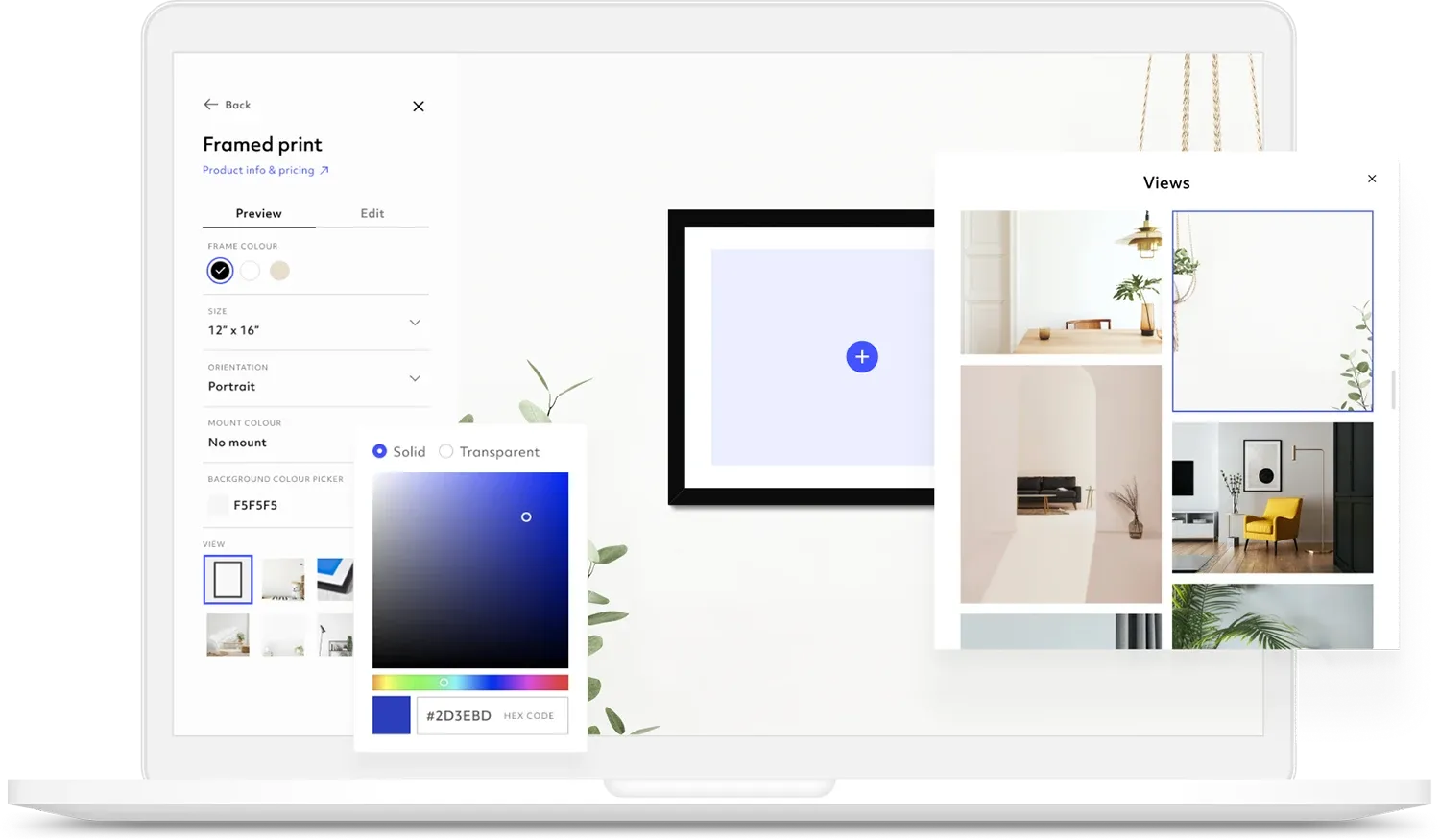
A mockup generator is an online tool that produces high-quality product images without an expensive photo shoot — by placing your design onto a styled template in a few clicks. Most tools work drag-and-drop, so no Photoshop skill is required.
The product range is wide. Templates cover T-shirts, hoodies, sweatshirts, tote bags, mugs, posters, stickers, greeting cards, and digital downloads. For digital prints and greeting cards the value is sharpest — you don't need to print a physical copy before you list. For apparel and mugs, the warping is the part you cannot fake by hand: the design has to wrap the curve of a mug or follow the fold of a shirt sleeve correctly, and a good mockup tool handles that automatically.
How to Create Etsy Mockups in 4 Steps
The workflow is the same across the major tools. Each step takes a minute or two if your design file is ready.
🟧 Step 1 — Sign Up and Pick a Template
Choose a product category, then pick a scene that fits your shop's style (flat-lay, lifestyle, themed, seasonal). Match the template mood to your niche before you upload anything.
🟧 Step 2 — Upload Your Design
PNG, JPG, and WebP files work on most tools. Use a transparent PNG at 300 DPI for the cleanest result. The design is auto-applied to the template you picked.
🟧 Step 3 — Customize the Scene
Edit colors, backgrounds, shadows, and angles. Some tools include AI editing and animated prompts if you want to generate variants quickly.
🟧 Step 4 — Preview and Download
Export at high resolution. Etsy recommends listing photos at 2000px or higher, and some tools export up to 4000px so you have headroom for cropping.
👉 Going from design to live Etsy listing can take under five minutes once you have the template picked.
Don't skip this: Top 6 Bulk Listing Tools for Print on Demand to Boost Productivity 🍀
Mockup Types That Work Best on Etsy
Different product categories use mockups differently. These four move the most volume on Etsy.
T-shirt Mockups
Oversized fits, flat-lay shots, seasonal scenes, and themed sets. Apparel mockups place designs on real people with realistic folds, shadows, and angles — the kind of detail that signals a real product even when no physical shirt was printed.
Mug Mockups
Coffee, ceramic, and enamel mug templates with models holding the mug. Mug mockups show the warped design wrapping around the curve, which is the part that is hardest to replicate manually with a phone photo.
Poster and Wall Art Mockups
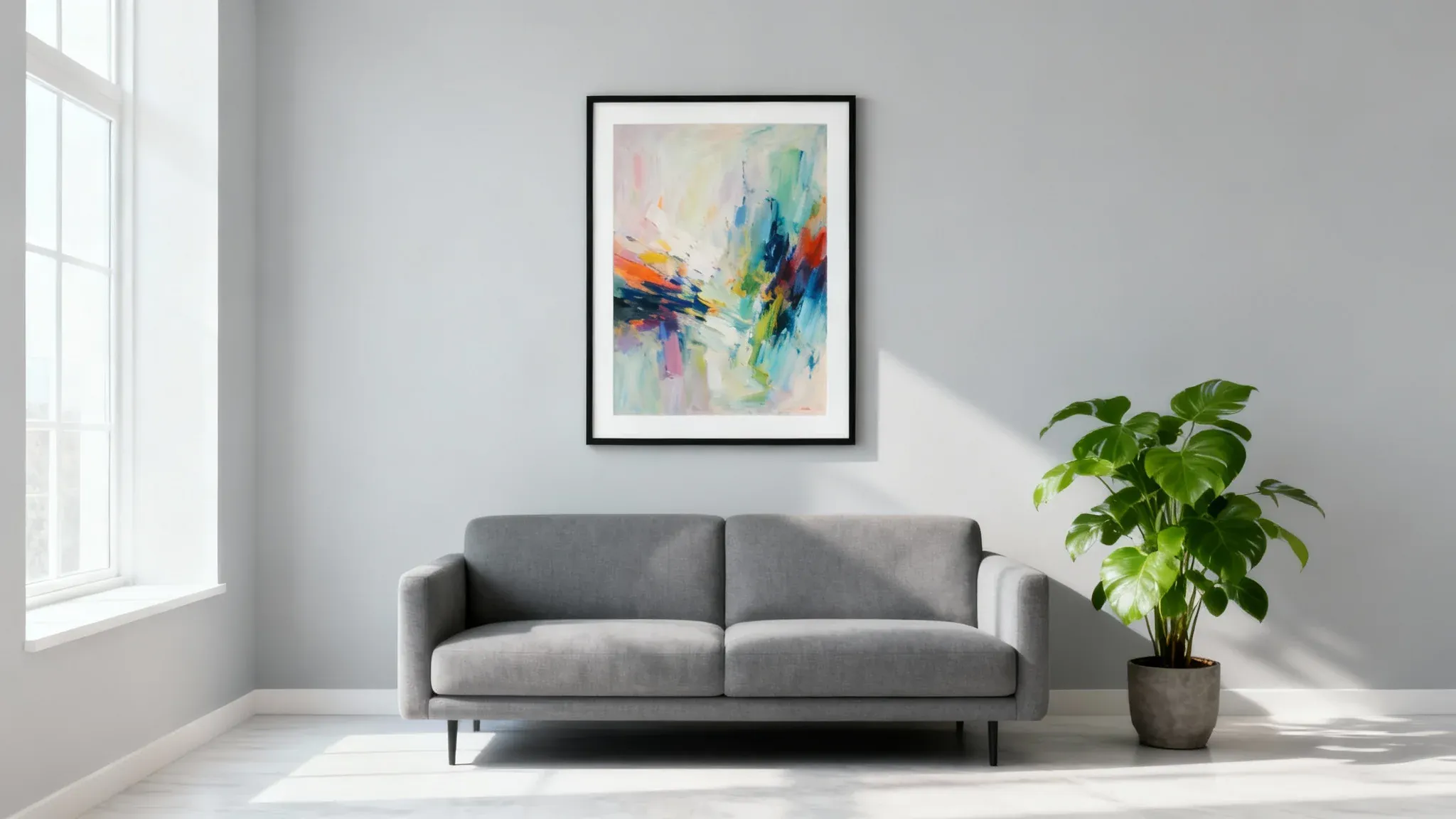
Vertical posters, framed styles, wall-glued, hanging, and hand-holding scenes. Wall art sellers are the heaviest mockup users because the room context sells the size and feel of the print more than the file itself does.
Sticker, Tote, and Greeting Card Mockups
Smaller categories but high-margin. Tote bag, sticker, and greeting card templates work well for digital download sellers who never want to print before listing.
How Many Mockups to Use per Etsy Listing
Etsy allows up to 10 photos per listing, and sellers should fill the slots. A common pattern is 3 to 5 different mockups per listing for max click-through, mixed with one or two real product shots if you have them.
Variety matters more than volume. Use different scenes, room settings, frame styles, and compositions across the slots so the buyer can scroll through your photos and see the product in more than one context. Some tools can generate all 10 listing photos at once from a single upload, which makes filling the slots a one-click step instead of a half-hour task per SKU.
Etsy's Rules on Third-Party Mockups
Etsy has been tightening what counts as an acceptable mockup. The platform pushes accurate real-life photos to avoid misleading buyers, and it restricts third-party mockups in certain categories. The current shape of the rule:
- One-of-a-kind or hand-finished products: Etsy expects actual photos of the actual item. Mockups don't fly here.
- Common items like T-shirts and mugs: Mockups are fine as long as they match the exact item, color, and brand.
- Etsy Ads compliance: Mockups used for paid placements need free commercial use rights with no Etsy attribution. Check the license on whatever tool you pick before you run paid traffic.
➤ The safe default is to lead the listing with a clean primary mockup that matches the product exactly, then use lifestyle mockups in the remaining slots.
Create Etsy Mockups Faster with DodgePrint AI Mockup
Manual mockup work eats hours when you scale past a few SKUs. DodgePrint AI Mockup simplifies the entire process so even beginners can generate professional Etsy listing photos in minutes.
Instead of building mockups from scratch, DodgePrint uses AI to automatically extract your design, apply it to products, and generate high-quality images up to 4K resolution — ready to drop into your Etsy listings.
Here is how the workflow works:
🟧 Step 1 — Start with AI Generator
Go to AI Generator → Creative Design, then select From Mockup → Get Started. This is where you begin turning an existing image or design into a ready-to-use Etsy mockup.
🟧 Step 2 — Upload & Extract Your Design
Upload an image that already contains your design. Use the crop frame to select the exact design area, and the AI will automatically remove the background and isolate your artwork. Choose your export quality (1K, 2K, or 4K), then hit Extract Design.
🟧 Step 3 — Create Mockups Instantly
After the design is generated, select Create Product with Image. You can use DodgePrint's ready-made mockup templates or upload your own PSD mockup for full creative flexibility. DodgePrint applies your design to the chosen mockup base automatically.
🟧 Step 4 — Generate & Push to Etsy
Preview the result, adjust product details if needed, and your finished mockups are saved directly inside the Product Catalog, ready for publishing to Etsy.
✅ Why DodgePrint AI Mockup wins for Etsy sellers:
- No Photoshop skills required
- Automatic background removal with AI
- Supports custom PSD mockups for brand consistency
- Exports high-quality images up to 4K (well above Etsy's 2000px recommendation)
- Create the full 10-slot Etsy gallery in a few clicks
A success story: How Sarah Miller Scaled Her Print-on-Demand Business with DodgePrint 💰
FAQs on Etsy Mockup Generators
1. How do you create mockups for Etsy?
Pick a mockup generator, upload your design, choose a product template, customize the scene, and download a high-res file. Most sellers go from design to live Etsy listing in under five minutes.
2. Where do people get their mockups for Etsy?
Most Etsy sellers use online mockup generators with free and paid template libraries — DodgePrint AI Mockup, Mockey, Mediamodifier, Placeit, Mockupanda, and Dynamic Mockups are the most common picks. A smaller group hires photographers for hand-finished items where Etsy requires real photos.
3. Can you make $10,000 a month on Etsy?
It is possible but not common, and it usually comes from a mix of strong listing photos, a tight niche, repeat customers, and ad spend. Mockups alone won't get you there — but bad mockups can keep you from getting there.
4. Are AI-generated mockups allowed on Etsy?
Yes, as long as the mockup accurately represents the actual product the buyer will receive. AI tools like DodgePrint AI Mockup are fine for common items (T-shirts, mugs, posters). For one-of-a-kind handmade goods, Etsy still expects real photos.
Bottom Line
Mockups are one of the fastest wins in Etsy selling — better visuals mean more clicks, more clicks mean more sales, and the right tool turns a half-day photo shoot into a five-minute upload.
DodgePrint is free to use. Connect your stores with DodgePrint (Etsy, Amazon, TikTok Shop, Shopify, and more) and see how AI Mockup can fill your full Etsy gallery in minutes. You can always upgrade to advanced tools at a very affordable price.