"Where did all my Etsy data go?” Are you juggling orders, listings, and sales reports? That’s exactly why learning how to get Etsy CSV file can make such a big difference.
With just one download, you can turn your Etsy data into a simple spreadsheet you can sort, filter, and actually understand. This guide will show you how to use CSV files to take control of your shop and work smarter in 2026.
What Is an Etsy CSV File?
An Etsy CSV file is a downloadable data file that stores your shop information in a table format. You can open it with tools like Excel or Google Sheets. Each row represents a record (such as an order or a product), and each column shows details like price, quantity, buyer name, or date.
And you can sort, filter, and analyze the data the way you want. You can view everything in one place, work with it offline, or share it with your accountant, team, or business tools.
Want to run your Etsy stores smoothly? Check out this article: 15+ Best Etsy Seller Tools That Save Time & Boost Profits 2026 🎉
What You Can Use Etsy CSV Files For?
Etsy CSV files are useful for both beginners and experienced sellers. Here are the most popular ways sellers like to use:
- Track sales and revenue over time
- Manage orders and inventory in bulk
- Prepare accounting and tax reports
- Bulk-edit listings (titles, prices, or SKUs)
- Analyze best-selling products and trends
- Move data to other platforms or tools
If you like having full control over your shop data, CSV files give you that flexibility.
Types of Etsy CSV Files You Can Download
Etsy lets you export different types of CSV files depending on what data you need. The most common ones include:
- Orders CSV – Customer info, prices, items sold, and order status
- Listings CSV – Product titles, SKUs, prices, and quantities
- Sales & Revenue CSV – Monthly or yearly income reports
- Payments & Fees CSV – Etsy fees, taxes, and payouts
- Shipping CSV – Tracking numbers and shipping details
How to Get Etsy CSV File (Step-by-Step Guide)
You can download an Etsy CSV file in just a few clicks. Below are the most common types of CSV files sellers use, along with a guide on how to get Etsy CSV file one by one.
Download Listings CSV
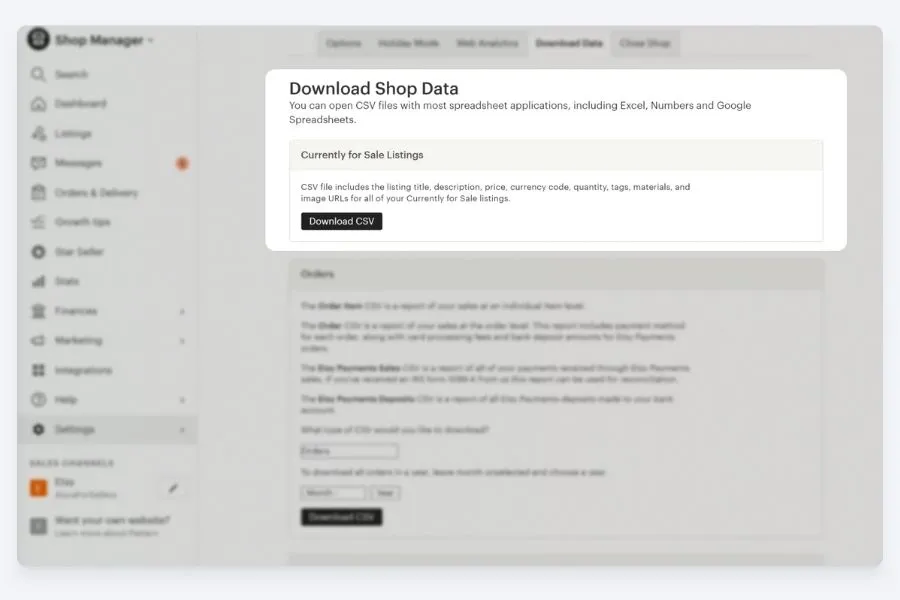
This file helps you review all your product details, such as titles, prices, SKUs, and inventory.
- Log in to Etsy and open Shop Manager.
- Click Settings → Options.
- Go to the Download Data tab.
- Under Currently for Sale Listings, click Download CSV.
Save the file and open it in a spreadsheet program to edit or review your listings.
Download Orders CSV
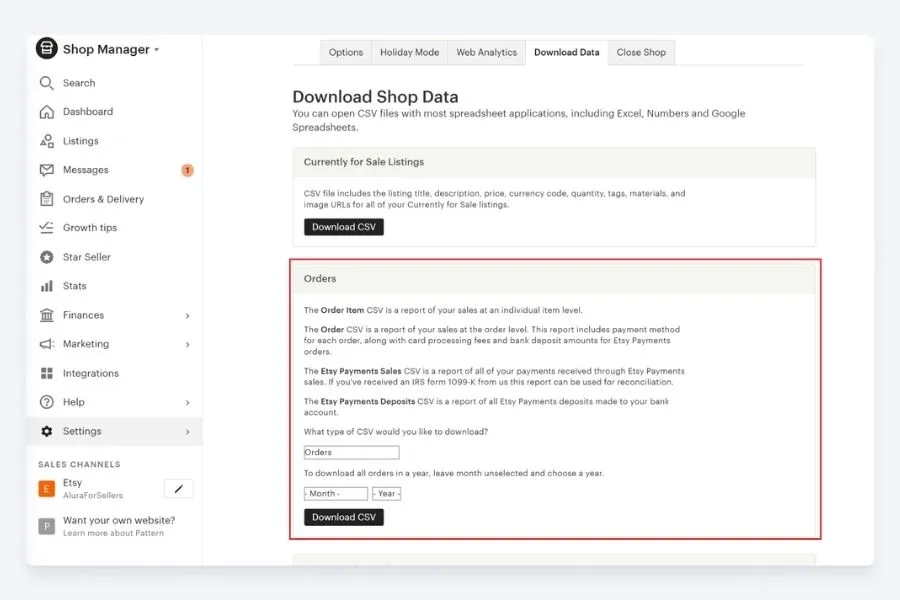
Use this CSV to track sales, customer details, and order history for accounting or reporting.
- In Shop Manager, select Settings → Options.
- Open the Download Data tab.
- Find Orders and choose the date range you need.
- Click Download CSV & then save the file to your computer.
Download Shop Data
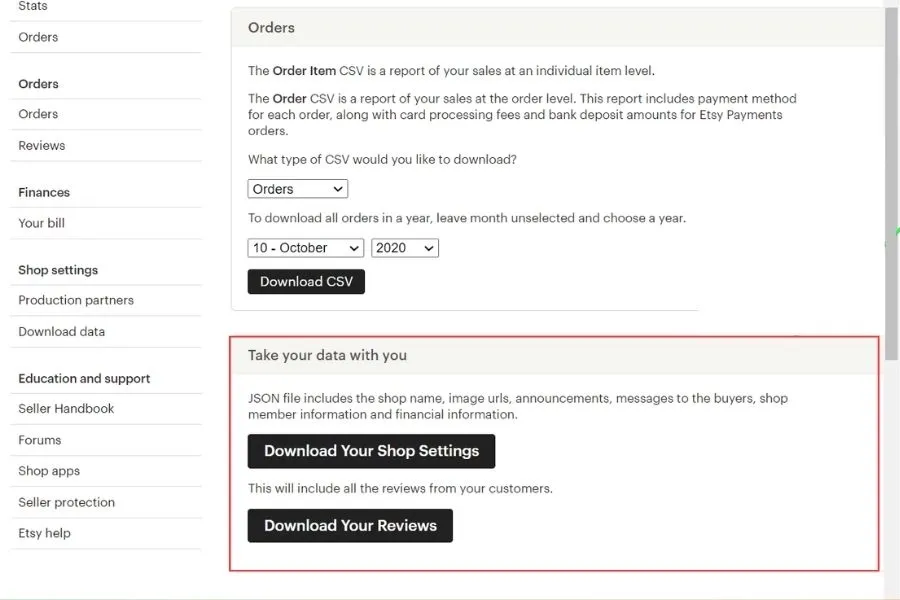
This file gives you a broader view of your shop, including traffic and performance information.
- Go to Shop Manager.
- Click Settings → Options → Download Data.
- Go to the Take your data with you section.
- Choose Download Your Shop Settings/ Download Your Reviews to get the data. Open it to review your shop’s overall performance.
Once you have these files, you can sort, filter, and analyze your data to spot trends, improve listings, and make smarter business decisions.
You may want to know: How Many Etsy Shops Can You Have? Full 2026 Guide 📌
How to Get Etsy CSV File from DodgePrint
DodgePrint is an all-in-one POD platform that helps sellers manage products, orders, and performance across multiple marketplaces from one dashboard.
Instead of jumping between tools, you can organize designs, track sales, and analyze results in a single place - DodgePrint.
You can also download CSV files on Etsy directly from DodgePrint. You can download data not just for orders, but for products, finance data, and analytics reports too.
Here’s how to export a CSV from DodgePrint:
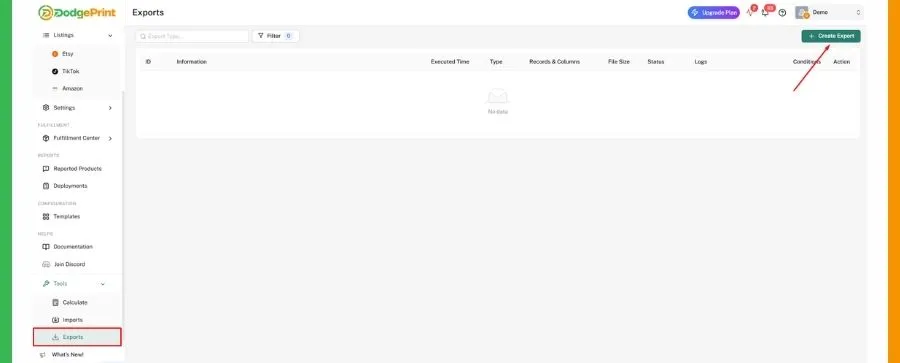
- Open the main menu & go to Tools → Exports.
- Click Create Export to begin.
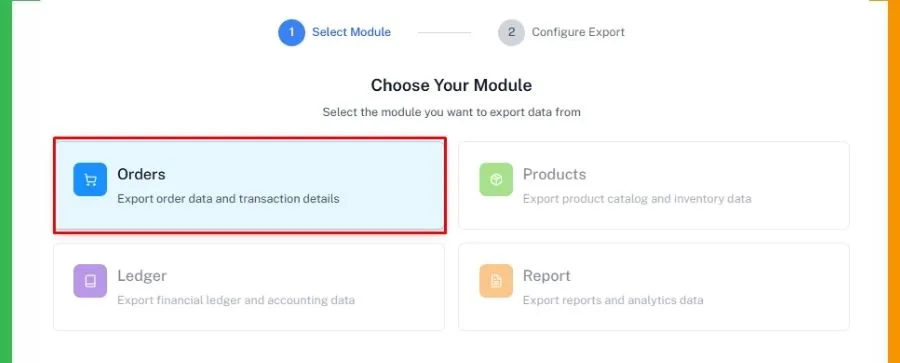
- Choose the type of data you want (Orders, Products, Finance, or Analytics)
- Use filters to narrow down your results. For example, you can select only Etsy data or filter by title, SKU, views, or a date range.
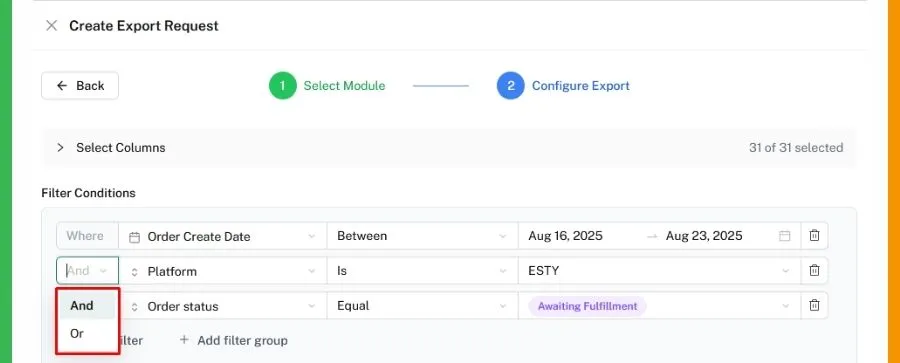
- When your filters are ready, click Create Export Request.
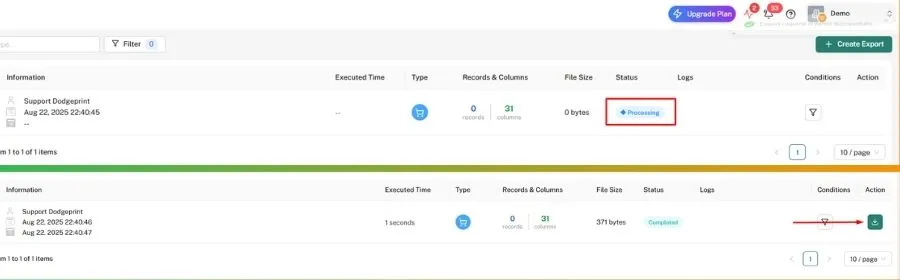
- The file will show as Processing. Refresh the page after a moment.
- Once the status changes to Completed, click the download icon to save your CSV file.
▶️ Visit DodgePrint & connect your Etsy stores for free right today! ◀️
Closing Line
Now that you know how to Get Etsy CSV File. This gives you full control over your shop’s data. With the right data in hand, you can focus more on growing a profitable Etsy business. Remember that you can also export Etsy data right from DodgePrint.