Etsy remains an attractive starting point for many E-commerce sellers. In 2026, the marketplace is more vibrant than ever, but it’s also more crowded. Standing out isn’t just about having a great product anymore; it’s about how efficiently you run your "behind-the-scenes."
The most successful sellers - the ones hitting those "Cha-ching!" notifications daily - have a secret weapon: The right tools.
In this guide, we’re going to look at the best Etsy seller tools that will help you reclaim your time and, more importantly, boost your profits.
Why You Need Specialized Tools for Your Etsy Shop?
Many new sellers fall into the trap of doing everything manually, which can lead to burnout. Here is why the best Etsy seller tools are essential:
- Work Smarter, Not Harder: Automation tools handle repetitive tasks like bulk editing and social media, freeing up your time to create.
- Data Over Guesswork: Tools provide real-time data on what customers are actually searching for and buying.
- Competitive Edge: Peek into competitor strategies, track trending niches, and optimize your pricing to stay ahead.
- Healthier Margins: Financial tools help you track hidden fees and production costs. This ensures every sale is actually profitable.
Best Etsy Seller Tools That Make Etsy Selling Less Stressful
There are many tools out there. To help you get started in the most enjoyable way possible, please refer to the best Etsy seller tools below.
Must-have Etsy Tools to Get Started
Starting an Etsy shop feels much easier when you use the tools already built into the platform. Below are some basic tools you can use without needing extra software or technical skills.
1. Etsy Mobile App
The Etsy Mobile App lets you run your shop from anywhere. You can reply to customer messages, get instant sale notifications, and even update product photos right from your phone. For busy sellers, this means you don’t have to sit at a desk all day to stay on top of orders.
2. Shipping Labels
Etsy’s Shipping Labels tool simplifies the entire shipping process. You can buy postage at discounted rates, print labels at home, and automatically get tracking numbers for your orders.
For international shipping, it also helps handle customs forms, which saves time and reduces mistakes. This makes fulfillment faster and much less stressful, especially for new sellers shipping their first orders.
3. Etsy Search
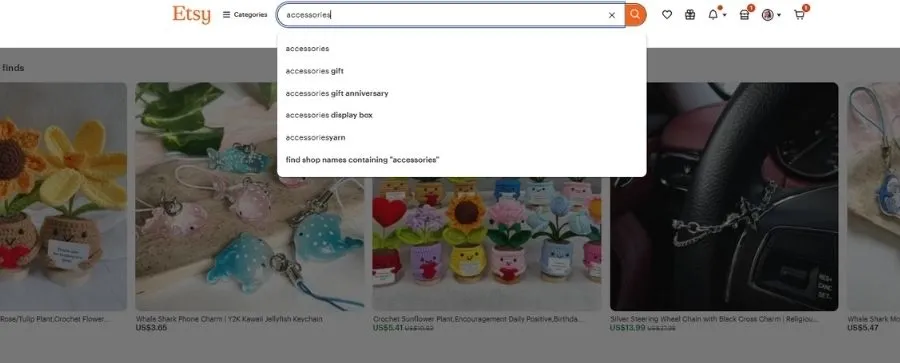
Etsy’s search bar is more than a way for buyers to find products; it’s also a free keyword research tool for sellers. When you type in a word, Etsy shows popular search suggestions based on what shoppers actually look for.
You can use these phrases in your titles, tags, and descriptions to improve visibility and attract the right audience. It’s a simple way to align your listings with real customer demand.
4. Etsy Marketplace Insights
Etsy Marketplace Insights is Etsy's own first-party analytics feature inside Shop Manager. When available on your account, it shows real buyer search volume, trending searches, and emerging product categories straight from Etsy's data. Because the source is Etsy itself, the keyword data is more accurate than any third-party tool. Pair it with eRank or Marmalead for the strongest research workflow.
Top Etsy Keyword Research & Listing Optimization Tools
SEO is the engine that drives organic traffic to your shop. Without the right keywords, even the best products remain invisible. Here are the best Etsy seller tools to help you rank on page one:
1. Shop Stats
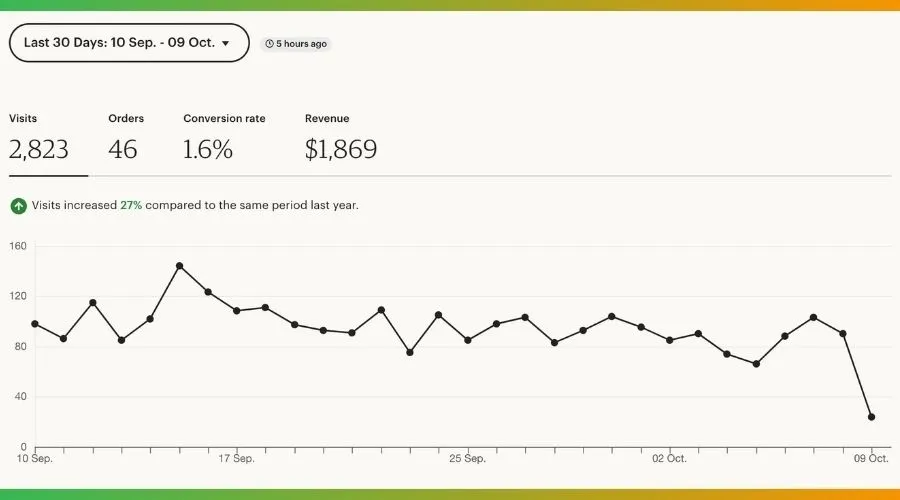
Shop Stats shows you how shoppers discover your Etsy store. It breaks down where your views come from, which products get the most attention, and what keywords people type when they find your listings.
For example, if one product gets more views than others, you can focus on creating similar items or promoting that style. To check your data, go to Your Shop → Shop Stats and review your traffic and keyword insights.
2. eRank
eRank is one of the most popular SEO tools for Etsy sellers who want to improve their shop visibility. It helps you discover high-traffic keywords, analyze competition, and track how your listings rank in Etsy search results.
You can see search volume, keyword trends, and seasonal demand, which makes it easier to plan products ahead of time. eRank also offers listing audits that point out missing tags, weak titles, or poor keyword placement.
➟ For beginners, it’s especially useful because it turns Etsy SEO into clear, actionable steps instead of confusing data.
3. Marmalead
Marmalead focuses on helping sellers create strong, buyer-friendly listings. It analyzes your titles, tags, and descriptions and scores them based on Etsy SEO best practices.
One of its standout features is keyword matching, which shows how closely your listing aligns with what shoppers are actually searching for. Marmalead also highlights long-tail keyword opportunities, making it easier to rank in less competitive niches.
4. Sale Samurai
Sales Samurai is designed to help Etsy sellers find profitable product ideas and low-competition keywords. It pulls real Etsy search data to show you estimated search volume, trends, and demand over time.
You can also spy on competitor listings to see what keywords and tags top sellers are using. One of its biggest strengths is niche research, helping you spot opportunities before they become overcrowded.
5. EtsyHunt

This Etsy SEO tool helps you discover high-demand and low-competition keywords. It also tracks trending products and analyzes top-performing shops in your niche.
With EtsyHunt, you can quickly see search volume, competition level, and estimated sales for keywords. You can spy on competitors’ best listings to understand what titles, tags, and pricing strategies are working right now.
In short, EtsyHunt turns complex SEO data into simple, actionable insights that even beginners can apply to their listings in minutes.
6. EverBee
EverBee is a powerful research tool that helps you understand which listings are actually making money. It analyzes top-selling products, estimates demand, and shows potential revenue for specific niches.
For new sellers, EverBee is especially useful because it converts competitor research into clear insights that you can use to create more effective titles, tags, and product ideas.
7. Etsy Listing Editor (Built-in)
Etsy’s built-in Listing Editor is a time-saver for shops with many products. It allows you to bulk edit titles, tags, prices, and shipping settings across multiple listings at once.
Instead of updating items one by one, you can make changes in a few clicks. This is ideal for running promotions, resolving SEO issues, or updating keywords efficiently.
Top Content Creation Tools
Great visuals and engaging content can make or break an Etsy shop. These best Etsy seller tools help you create eye-catching images, mockups, and short videos that turn browsers into buyers.
1. Canva
Canva is a simple design tool that helps Etsy sellers create clean, professional-looking thumbnails and mockups in minutes.
You can use ready-made templates to design product images, banners, and shop branding without any design experience. It works well for both digital product sellers and print-on-demand stores.
2. Placeit
Placeit is a powerful mockup generator made for POD sellers. You can drop your designs into real-life product scenes like t-shirts, mugs, phone cases, and wall art in seconds.
It also offers ready-made templates for Etsy banners, product thumbnails, and social media posts, helping you keep a consistent brand look across platforms.
3. CapCut

CapCut is ideal for creating short-form videos for TikTok, Instagram Reels, and Etsy shop promotions. It’s beginner-friendly and packed with features like auto-captions, trending effects, and background music.
If you want to show your products in action or create behind-the-scenes clips, CapCut makes video editing fast and simple.
4. Remove. bg
Remove. bg helps you remove or replace backgrounds instantly from product photos. This is perfect for creating clean, professional-looking thumbnails or transparent images for mockups.
5. PhotoRoom
PhotoRoom is a simple yet powerful tool for creating clean, professional product images without advanced design skills.
With just one click, it can remove backgrounds, add realistic shadows, and place your product into styled scenes that look like studio photos. For Etsy and POD sellers, this is perfect for building consistent, high-quality thumbnails that stand out in search results.
PhotoRoom also lets you add text, brand colors, and simple layouts, making it easy to create promotional images for listings, shop banners, and social posts. You can use PhotoRoom from your browser or mobile app.
Top Workflow Management Tools
As your shop grows, managing orders, designs, and daily tasks can quickly become overwhelming. Then, you need tools to help you stay organized, reduce mistakes, and save time.
1. DodgePrint
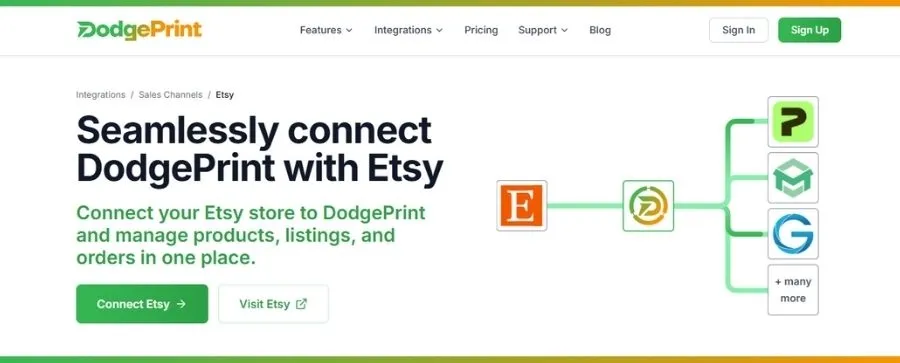
DodgePrint is a versatile platform that can help you sell on Etsy and other channels (like Amazon, TikTok Shop, Shopify) without getting buried in daily tasks. This tool gives you one simple control center to run everything smoothly.
It’s powerful for print-on-demand and multi-store sellers who want to save time, reduce mistakes, and scale faster.
Key features that make DodgePrint stand out:
- Smart Catalog: Keep all your designs, mockups, and product files in one organized library. ➡️ No more searching through random folders—everything is tagged, sorted, and ready to reuse.
- Bulk & Scheduled Listings: Create or update multiple Etsy listings at once. You can also schedule product launches. ➡️ This is perfect for drops, seasonal collections, or promotions.
- Order Management Dashboard: Track all orders in real time from one screen. ➡️ See what’s pending, shipped, or delayed without logging into multiple platforms.
- Analytics Board: Monitor sales, profits, and top-performing products across your stores. ➡️This allows you to quickly spot what’s working and what needs improvement.
- AI Optimization: Get help creating better titles, tags, and product content to improve visibility and conversion rates on Etsy.
➤ The best part is that DodgePrint offers a free-forever plan that’s perfect for new sellers who want to test and learn without risk.
2. MyDesigns
MyDesigns is an all-in-one workflow tool built to help POD and digital sellers move faster. Instead of creating products one by one, you can bulk-design, generate mockups, and publish listings across Etsy, Shopify, WooCommerce, and TikTok in just a few clicks.
Its AI features help write SEO-friendly titles and descriptions, so your listings are ready to rank as soon as they go live. For sellers managing large catalogs, MyDesigns turns hours of repetitive work into a streamlined, automated process. You can scale without burning out.
Learn more: 5 Best POD Management Software 2026 You Must Try 🔥
Free vs Paid Etsy Seller Tools
You do not need to pay for every tool on day one. Here is a simple budget breakdown most successful Etsy shops follow.
Free Etsy seller tools to start with:
- Shop Stats (built into Etsy) for traffic and keyword insights
- Etsy Search for free keyword research
- Etsy Marketplace Insights (where available) for first-party search data
- eRank free plan for basic keyword tracking
- Canva free plan for thumbnails and mockups
- DodgePrint free forever plan for managing up to 3 stores
When to upgrade to paid tools:
Pay for tools once they generate more revenue than they cost. Most sellers upgrade to a paid SEO tool (eRank, Marmalead, or EverBee) once they pass $500 per month in sales. Move to a workflow tool like DodgePrint once you are juggling 50+ listings or selling on more than one channel.
How Pro Etsy Sellers Use Tools Differently
Pro Etsy sellers don’t chase every new tool. They focus on the right tools that make their workflow faster and smarter. Instead of constantly testing new products, they double down on what already sells. When a design performs well, they repeat the winning formula, expand it into new variations, and launch faster.
Their main goal is efficiency. They automate listing, order management, and fulfillment so they can spend more time on product ideas and customer experience. Tools become a lever, not a magic solution.
This is where platforms like DodgePrint stand out. By managing multiple stores, listings, and orders from one dashboard, sellers cut busywork and scale with less stress. If you want to grow like a pro, start by simplifying your workflow. Let the right tools do the heavy lifting for you.
A success story: How Sarah Miller Scaled Her Print-on-Demand Business with DodgePrint 💰
Closing Thoughts
With the right strategy and the Best Etsy Seller Tools, you can have more time creating products your customers love. When your workflow is streamlined, growth becomes more predictable and less stressful.